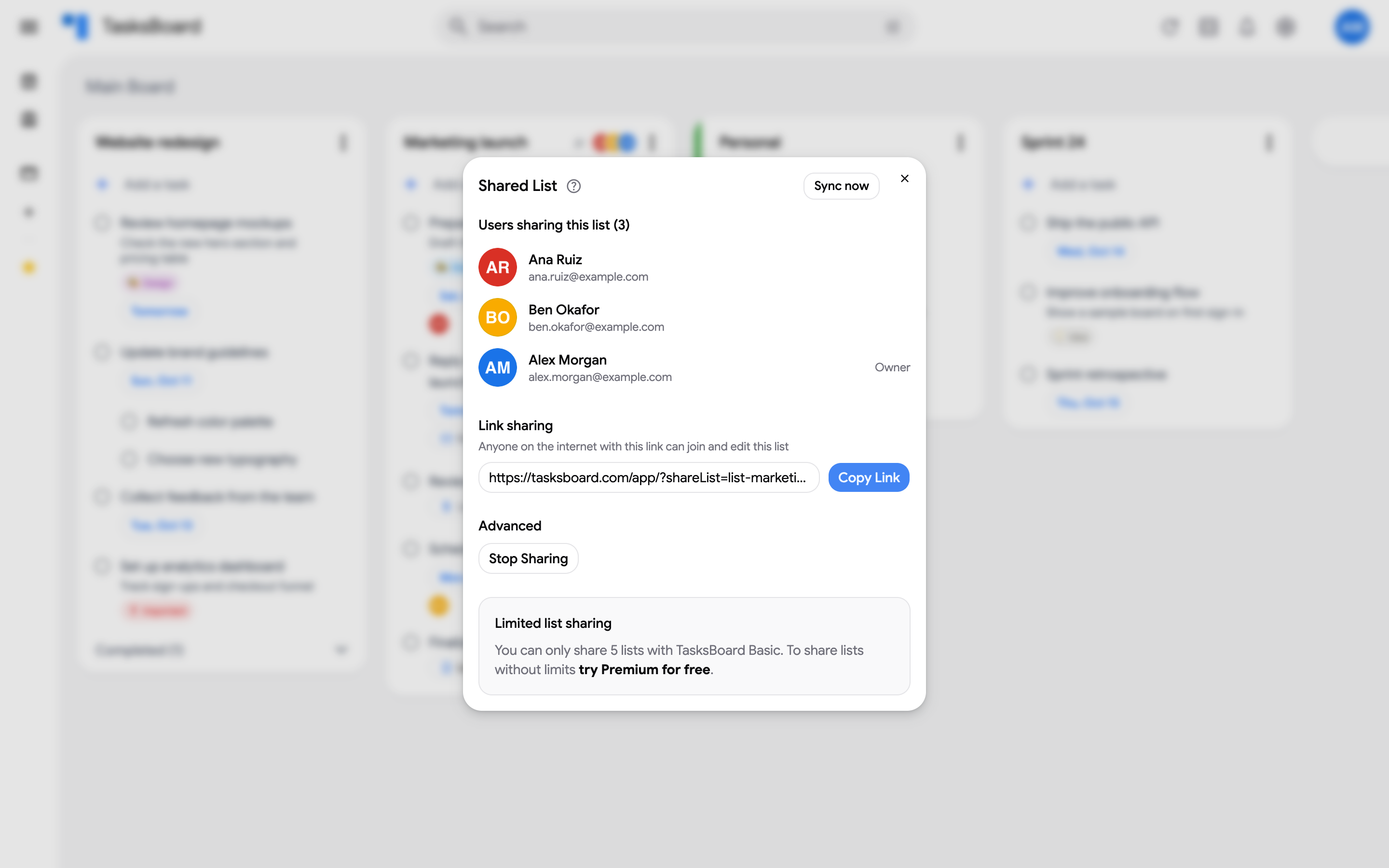
Share lists
Sharing a list gives each collaborator a copy of the list in their own Google Tasks account, and TasksBoard keeps all the copies in sync. You can share up to 5 lists you own with a free account, and as many as you want with Premium.
Share a list
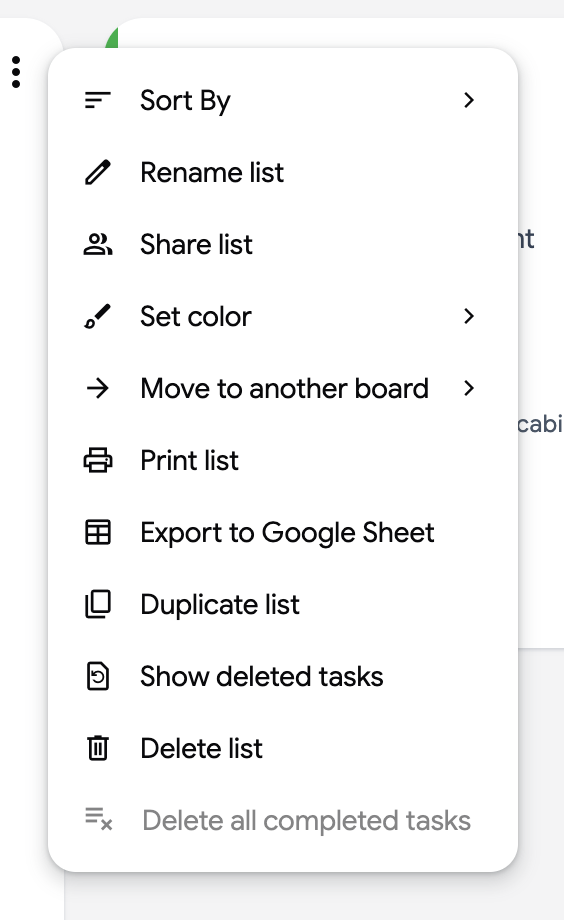
Section titled “Share a list”- Open the three dots menu (⋮) next to the list name.
- Click “Share list”.
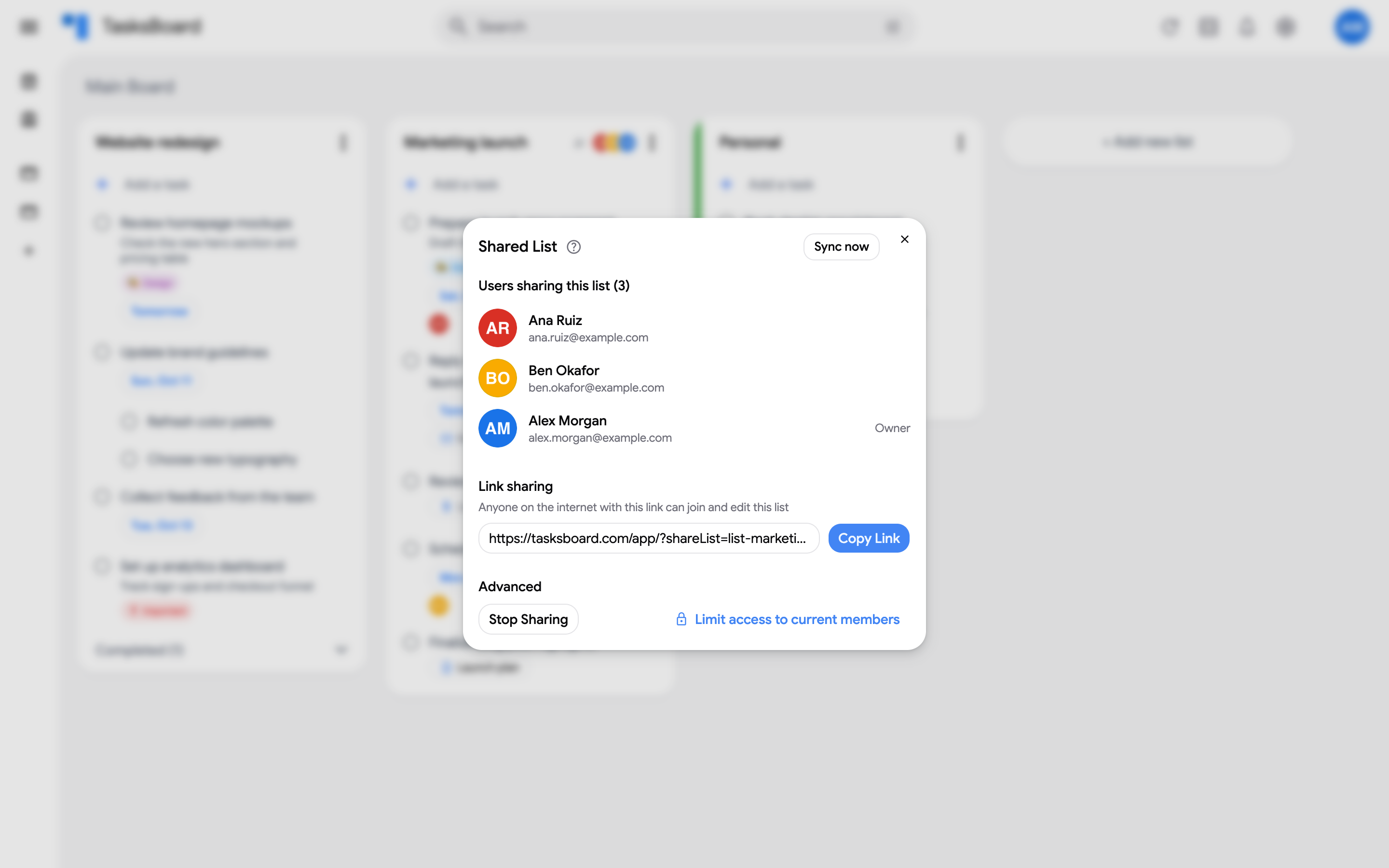
- The Shared List dialog opens with a link under Link sharing. Click “Copy Link” and send the link to your collaborators.
Join a shared list
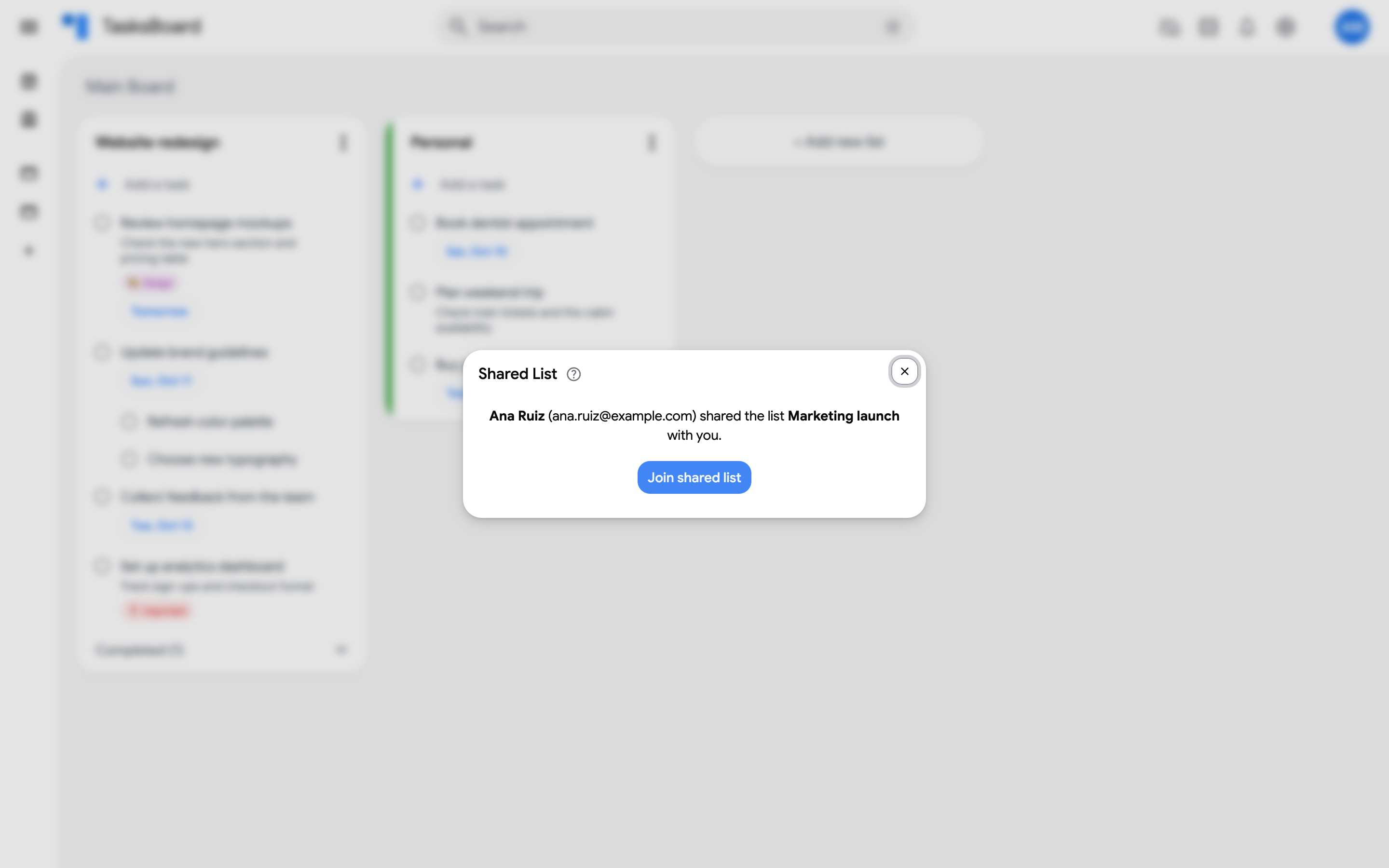
Section titled “Join a shared list”Your collaborator opens the link in a browser while signed in to TasksBoard. An invitation page names the person who shared the list; they click “Join shared list” and the list appears on their board.
Once they have joined, you can assign tasks to them, and their avatar shows in the list header.
Who can do what
Section titled “Who can do what”Anyone with the link can join and edit the list. If you want to stop new people from joining, or remove a collaborator, see the shared list FAQ.