
Change the color of a list
Give your lists a highlight color to tell them apart at a glance, for example one color per project or per area of your life. The color shows as a stripe on the left edge of the list.
Set a list color
Section titled “Set a list color”- Open the three dots menu (⋮) at the top right of the list.
- Hover “Set color”.
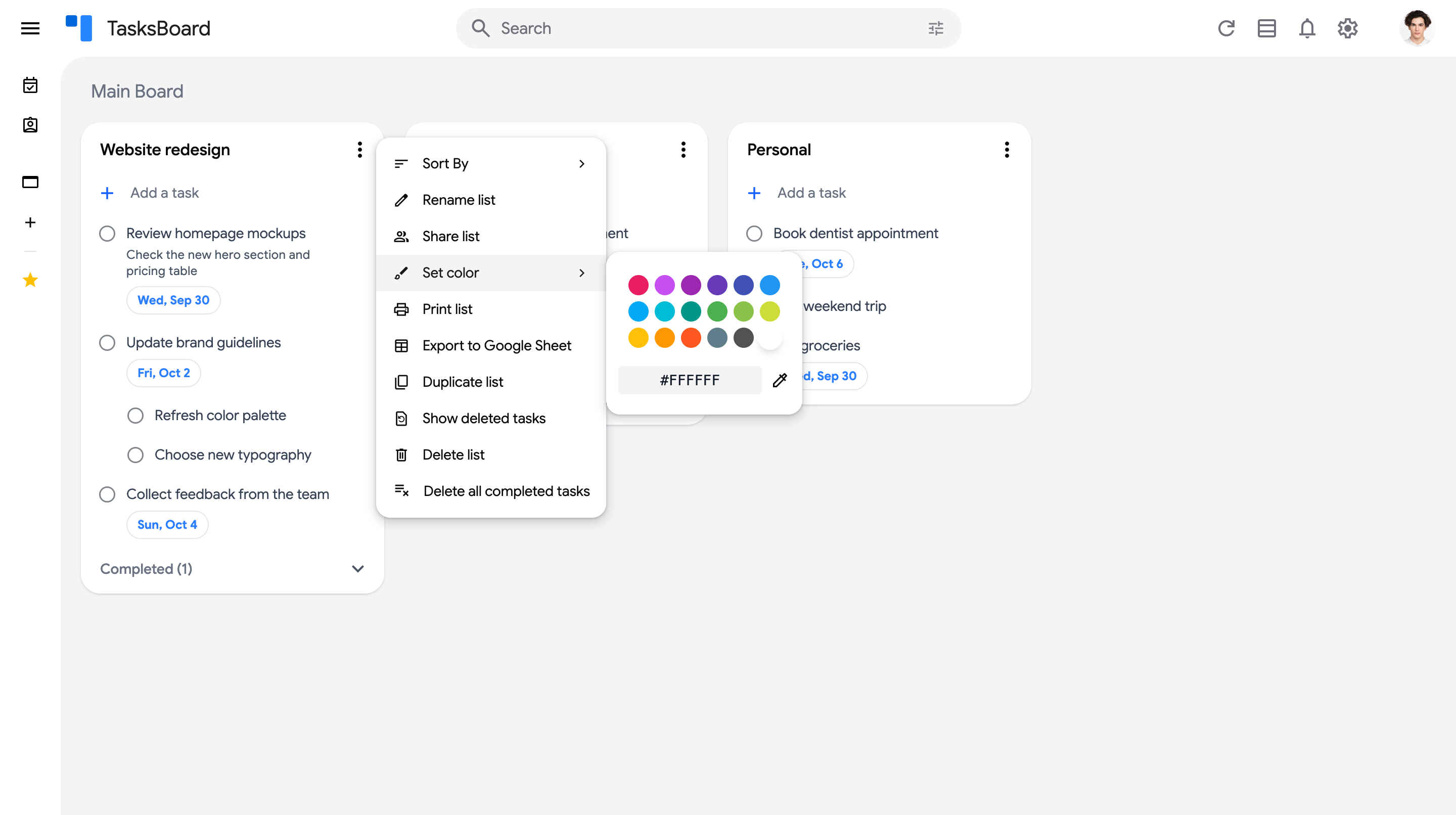
- Pick one of the colors, type a custom hex code in the field below the palette, or click the eyedropper to open a full color picker. The list takes the color immediately.
To remove the color, open the same picker and choose the last swatch (the empty one).