
Manage subscription
Everything about your Premium subscription lives on the Subscription page: click your avatar at the top right and choose “Subscription”, or go to tasksboard.com/subscription.
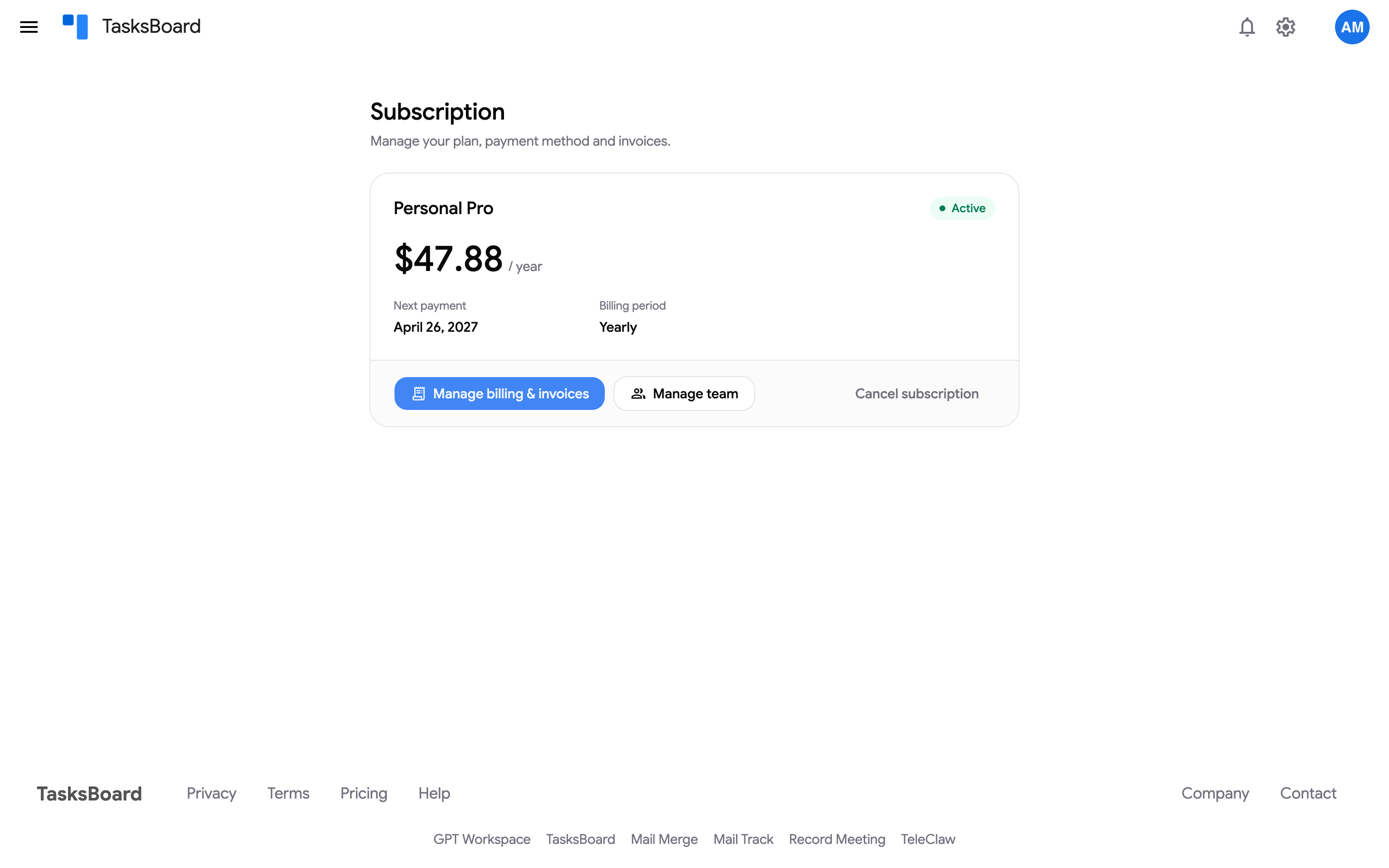
The card shows your plan, the status (“Active”, “Free trial”, “Not renewing”, “Payment failed”), the amount per period, the “Next payment” date (or “Premium until” once cancelled), the billing period and, on a Team plan, the number of seats.
Payment method, invoices and billing details
Section titled “Payment method, invoices and billing details”Click “Manage billing & invoices”. This opens the secure Stripe billing portal where you can:
- update or replace your card, or pay an open invoice,
- download every invoice and receipt.
To have a company name, address or VAT number printed on your invoices, send them to contact@tasksboard.com: see invoices, VAT details and tax forms. Invoice dates can differ from the charge date when a payment was retried.
Change plan or billing period
Section titled “Change plan or billing period”Switching between monthly and yearly or between Pro and Team is done from the pricing page; the difference is prorated. See change your plan.
Manage your team
Section titled “Manage your team”On a Team plan, “Manage team” opens the Team page. On a Pro plan the same button offers to switch you to the Team plan.
Cancel
Section titled “Cancel”Click “Cancel subscription”. You keep Premium until the end of the paid period. See cancel your subscription.