Team plan
The Team plan is Premium for your whole team. You buy a number of seats, assign them to teammates by email, and only your account is billed. Teammates do not need a card or their own subscription.
A few features are only on the Team plan: view-only collaborators on shared lists and boards, routing of tasks assigned from Google Docs or Chat into a shared list, and the REST API, webhooks and Zapier app with personal API keys on the API tab of the Team page.
Get the Team plan
Section titled “Get the Team plan”- New subscribers: open the pricing page and click “Get Team”. The free trial applies.
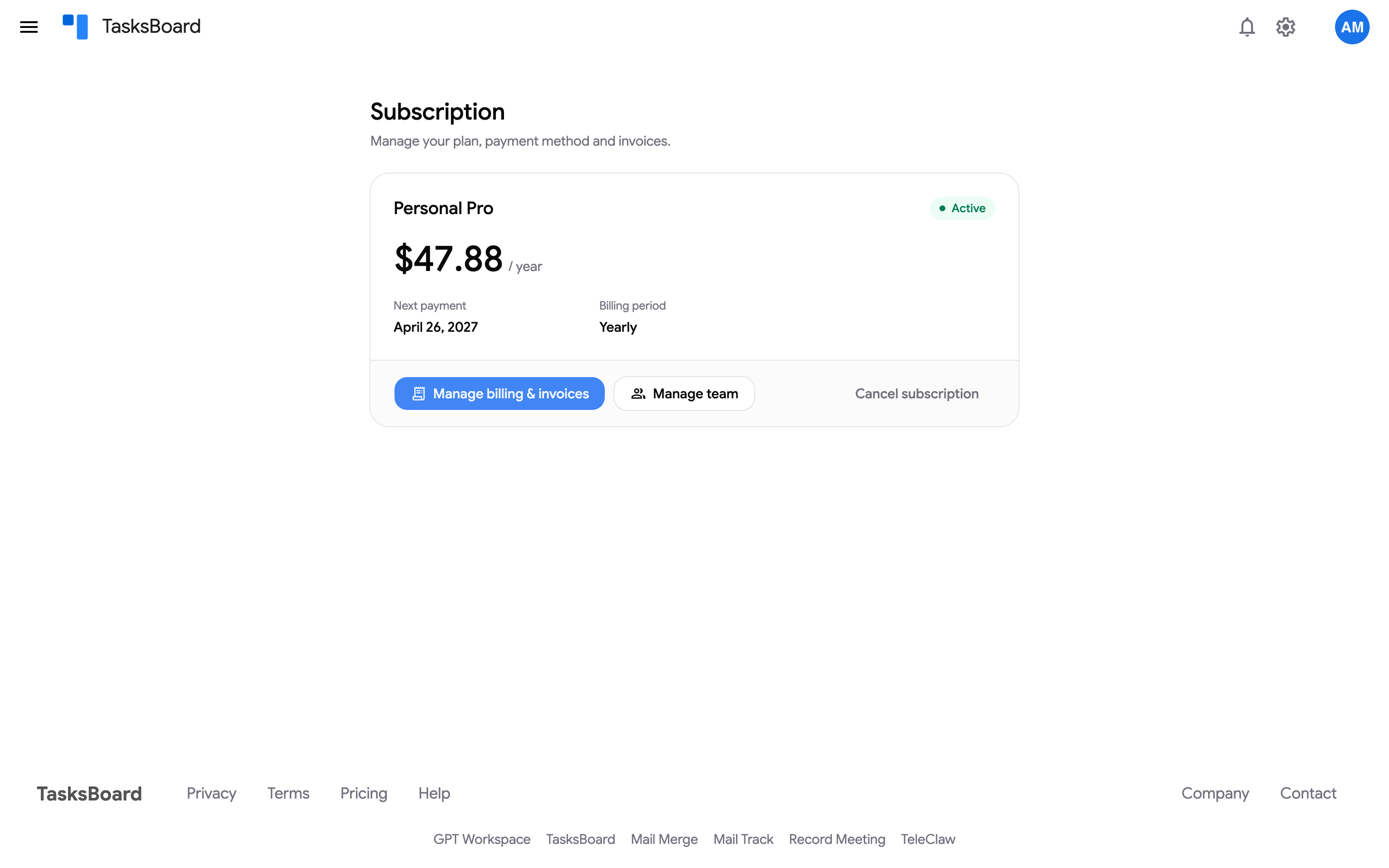
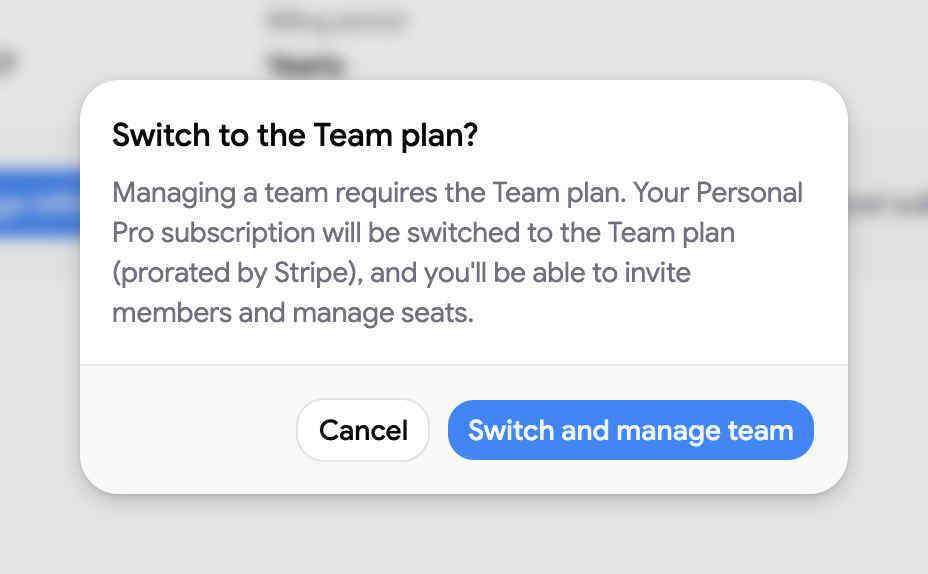
- Pro subscribers: click “Manage team” on the Subscription page and confirm “Switch and manage team”. The switch is prorated. See change your plan.
Invite your teammates
Section titled “Invite your teammates”Open the Team page from your avatar menu (“Team”) or at tasksboard.com/team. Set the number of seats, then add members by email or assign seats to colleagues on your domain in one click.
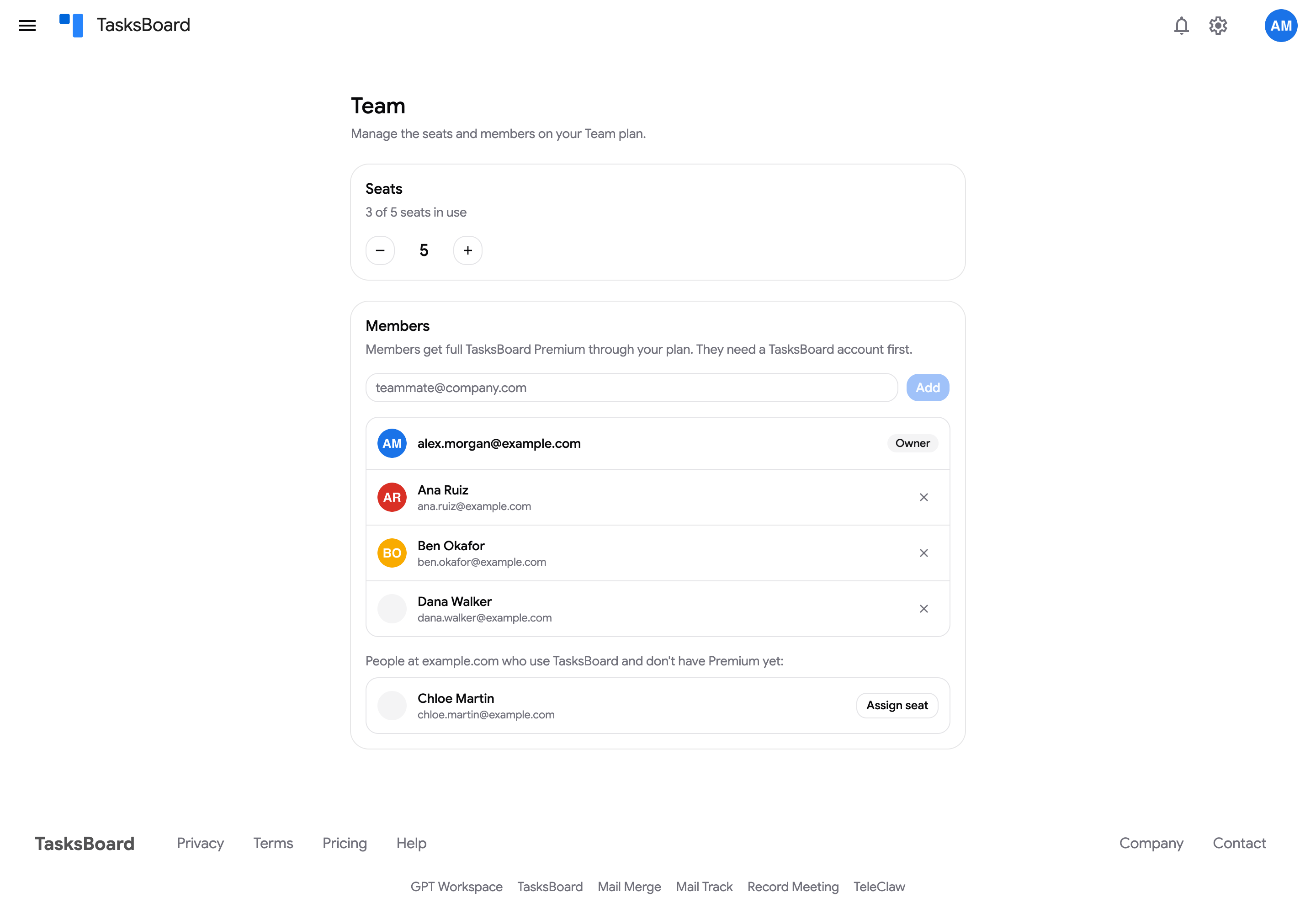
Teammates simply sign in to TasksBoard with the email you entered and have Premium. A teammate must have signed in at least once before a seat can be assigned. Full details in manage team seats.
How billing works
Section titled “How billing works”The Team plan is billed per seat, monthly or yearly. Seat changes take effect immediately and are prorated:
- Adding seats: you are charged right away for the new seats for the remaining time of your current period. For example, on a yearly plan with 4 months left, adding one seat charges 4 months of one seat.
- Removing seats: the unused time of the removed seats is credited to your account and deducted from your next invoices.
The Subscription page shows the total for all seats and the number of seats.