
Tasks assigned from Docs, Chat and Gmail
When someone assigns a task to you inside a Google Doc (a checkbox with an assignee) or in a Google Chat space, Google creates the task in your Google Tasks account, and it appears in TasksBoard automatically. The same goes for tasks created from an email in Gmail.
A link back to where the task comes from
Section titled “A link back to where the task comes from”These tasks carry a chip that opens the document, the Chat space or the email they come from:
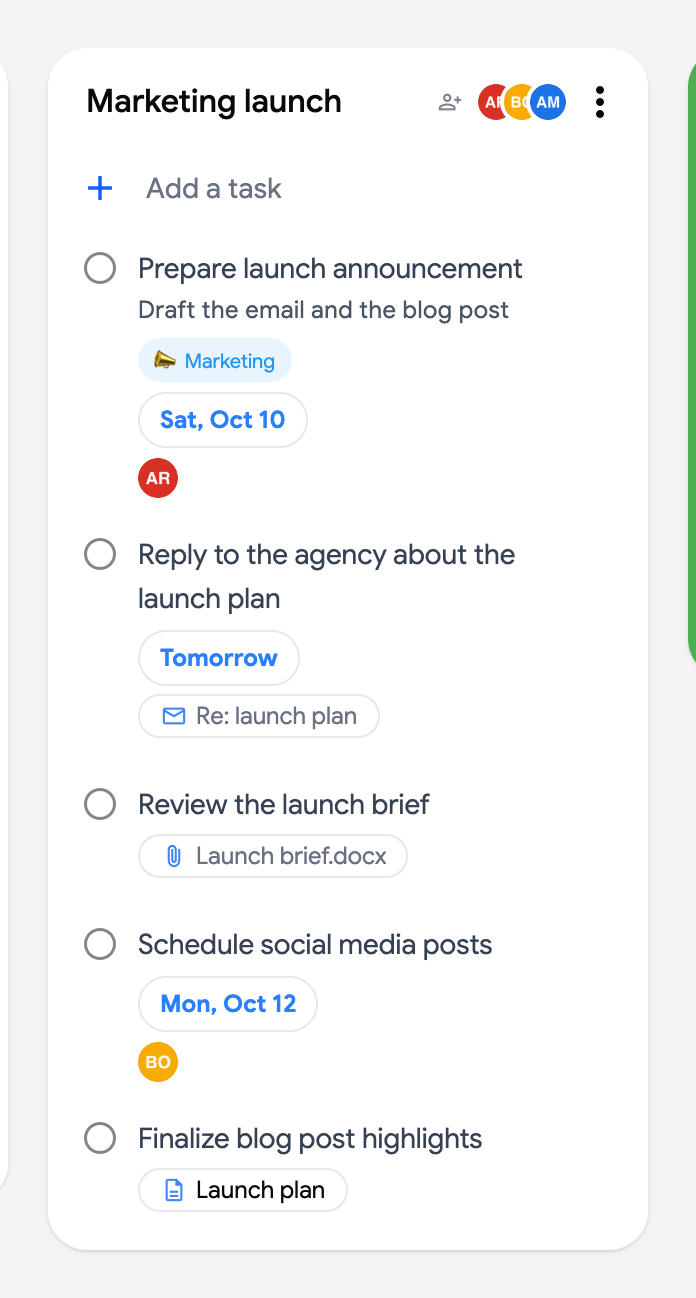
- A document icon with the document’s name for a task assigned in Google Docs (“From document” when the name is not available).
- A chat icon for a task assigned in a Google Chat space (“From space”).
- An envelope with the email subject for a task created from Gmail; it opens the email in Gmail.
Assigned tasks always land in your default list
Section titled “Assigned tasks always land in your default list”Google always places tasks assigned from Docs and Chat in your default list (“My Tasks”), on the board that contains it. This is Google’s own behavior (documented in Google Tasks Help): neither you nor TasksBoard can choose a different destination list at assignment time.
Move the task to the right list
Section titled “Move the task to the right list”- Find the task in your default list.
- Drag and drop it onto the wanted list, or open its three dots menu (⋮) and use “Move to another list” to pick a list on any board, including a shared list.
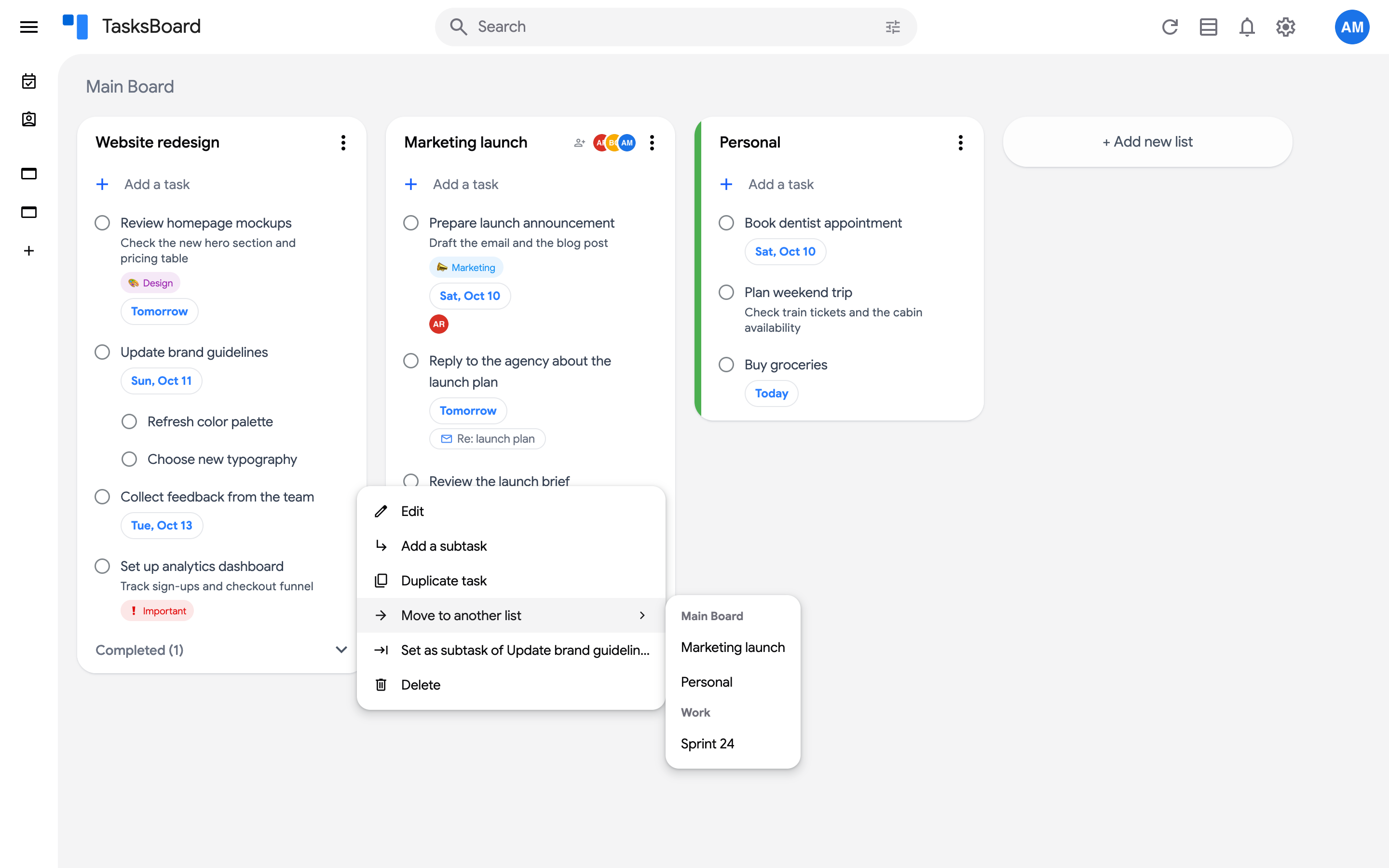
The task keeps its chip, so you can still jump back to the document, space or email.