
Email me when a collaborator completes a task
Este conteúdo não está disponível em sua língua ainda.
With Premium, TasksBoard can email you when a collaborator completes a task in a list you share. Completions are grouped, so a busy afternoon becomes one email rather than one per task.
Turn the emails on or off
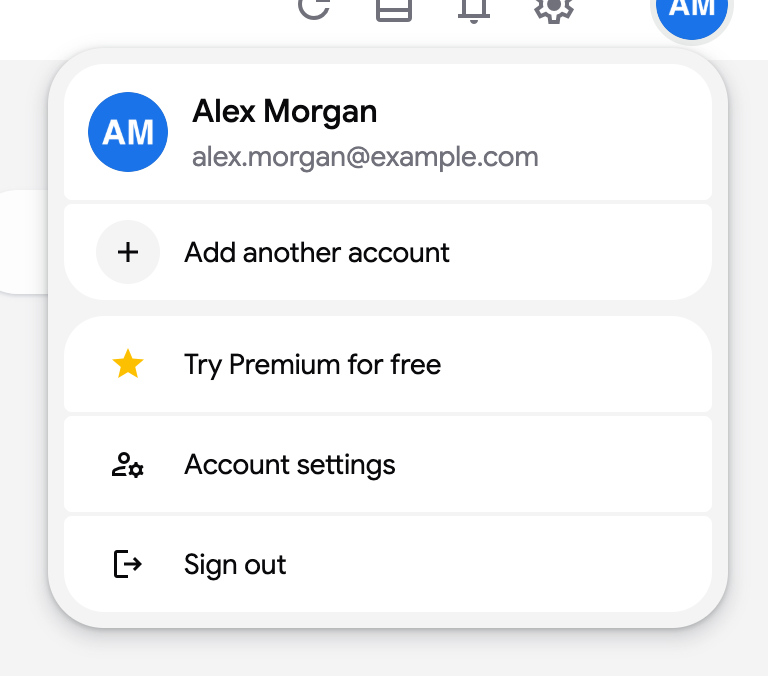
Section titled “Turn the emails on or off”- Click your avatar in the top right of the header.
- Click “Account settings”.
- Under Notifications, use the “Completed tasks in shared lists” switch. The emails go to the address of the account you are signed in with.
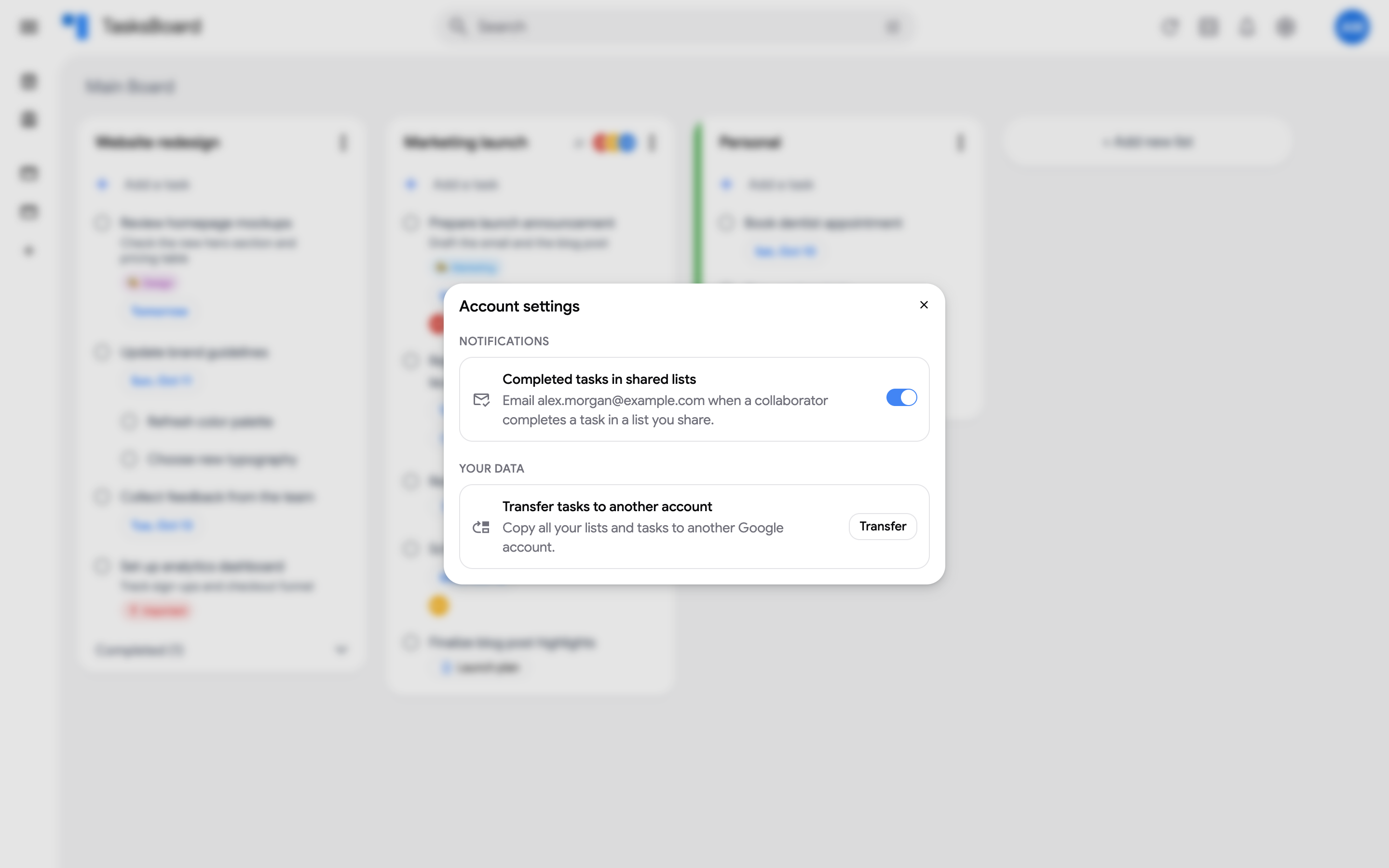
The switch is off by default. On a free account, it opens the Premium offer instead.
What the email contains
Section titled “What the email contains”- The subject names who completed what, for example “Ana Ruiz completed “Prepare launch announcement” in Marketing launch”. Several completions become “Ana Ruiz completed tasks in Marketing launch (3)”.
- The body lists the completed tasks grouped by list, each with the collaborator who completed it. Subtasks mention their parent task.
- An “Open TasksBoard” button takes you to the app.
The email is written in the language you use TasksBoard in.
When it is sent
Section titled “When it is sent”Completions are collected for a few minutes after the first one, then sent in a single email. Only tasks completed by other people are included, and only in lists shared with you; your own completions are not emailed to you.
Unsubscribe
Section titled “Unsubscribe”Every email ends with an Unsubscribe link that turns the switch off for your account. You can turn it back on at any time from Account settings.