
Change the language
이 콘텐츠는 아직 번역되지 않았습니다.
TasksBoard is available in 21 languages. By default the interface follows your browser’s language; you can pick another one at any time.
Switch the language
Section titled “Switch the language”- Click on the settings icon (gear) at the top right of the screen.
- Hover “Language” and click on the language you want. The list scrolls if your language is not visible at first.
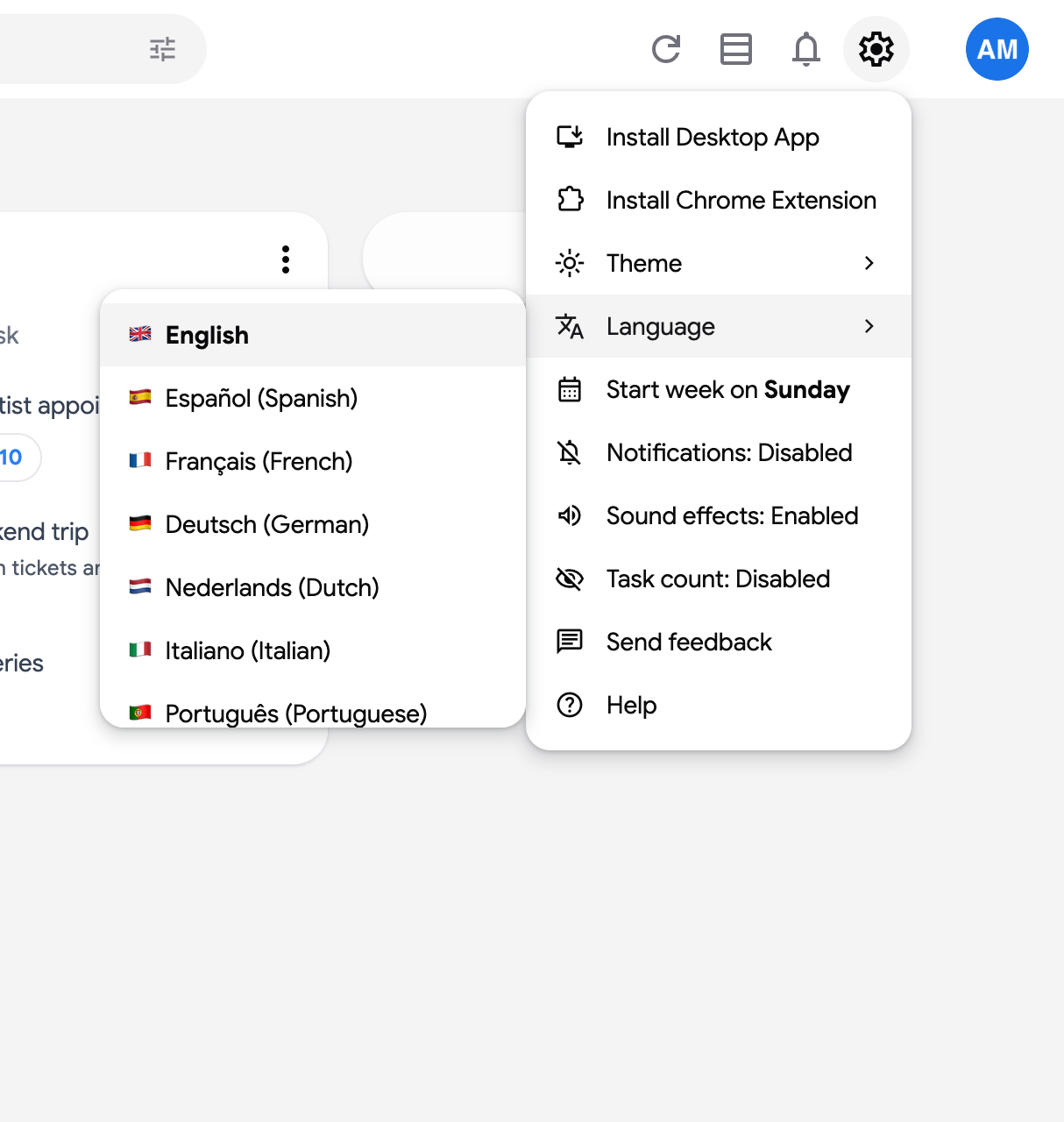
The interface switches immediately. Your choice is saved on this device and on your TasksBoard account, so the next time you sign in on another device TasksBoard uses the same language.
Available languages
Section titled “Available languages”English, Español (Spanish), Français (French), Deutsch (German), Nederlands (Dutch), Italiano (Italian), Português (Portuguese), Czech, Polski (Polish), Русский (Russian), 中文 (Chinese), 日本語 (Japanese), 한국어 (Korean), Türkçe (Turkish), Tiếng Việt (Vietnamese), हिन्दी (Hindi), العربية (Arabic), עברית (Hebrew), Ελληνικά (Greek), ไทย (Thai) and Bahasa Indonesia (Indonesian).
Arabic and Hebrew switch the whole interface to a right-to-left layout.